Inside the Weldforge console: versioned, audited, in your control
You describe what to connect and we build and run it — but you still need to see it, version it, and trust it. Episode 3 of the feature tour walks the Weldforge console: describe an integration and watch the assistant draft the spec, then the tamper-evident audit log, usage against your plan, per-person access, and your security posture.
Weldforge is built so you never have to touch connectors, API keys, or field mapping yourself — you tell us what to connect, we build it and run it in our cloud. But "we run it for you" should never mean "you can't see it." This episode of the feature tour tours the console: the one place where every integration you have is mapped, versioned, monitored, and auditable.
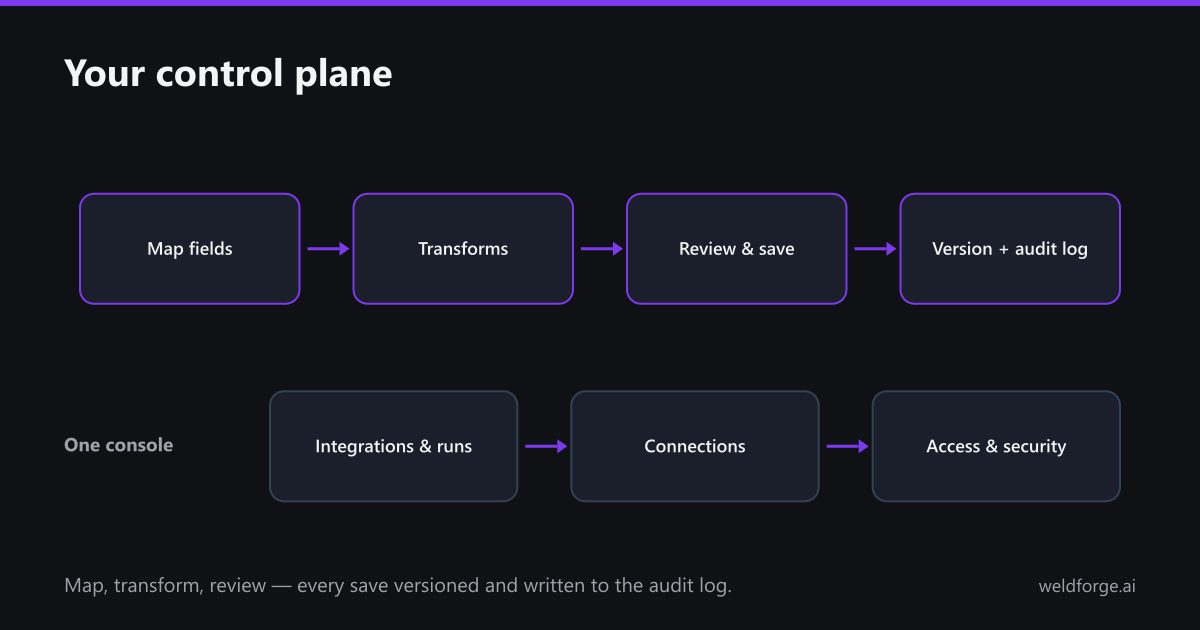
Map and transform in plain terms
The console captures the rules you care about — pick the source field, the target field, and the transform (a currency to a number, a stage to uppercase, a default when the source is empty). We do the heavy lifting on the build; the console just records intent. No code, no blank grid.
Every save is a version
When you save a mapping, Weldforge writes a new version — "Mapping saved, version 1," three field rules from Salesforce Opportunity to Snowflake SALES_OPPORTUNITIES. Changed your mind, or a downstream schema moved? Roll back to a known-good version in a click. Nothing is overwritten in place.
One place for runs, access, and audit
- Integrations and runs: see what is live and what it is doing.
- Connections, team, and access: who can touch what, with role-based permissions.
- Security and audit log: every change is attributable and timestamped.
- Usage and billing: proactive alerts at 70%, 85%, and 100% of plan — no invoice ever exceeds your subscription without your one-click approval.
That is the deal: we carry the build and the run; you keep full visibility and control. Describe what you want connected and we will stand it up — then this console is where you watch it work.