The AI tax: why one AI step quintupled your automation bill
A new complaint is all over the automation threads: the workflow did not change, an AI step went into it, and the monthly bill went up 5x. Here is exactly where the AI meter hits, five ways to cap it without giving up the AI, and the point where capping stops being the answer.

A complaint is showing up in the automation forums that did not exist a year ago. People are not asking how to use fewer tasks any more. They are asking what happened the moment they dropped an AI step into a workflow they already had. One thread this week put the number on it plainly: a bill that went from $30 to $160 a month after AI nodes were added, and the obvious follow-up question — has anyone figured out how to cap this? The automation was doing the same job it did before. The meter just learned a new trick.
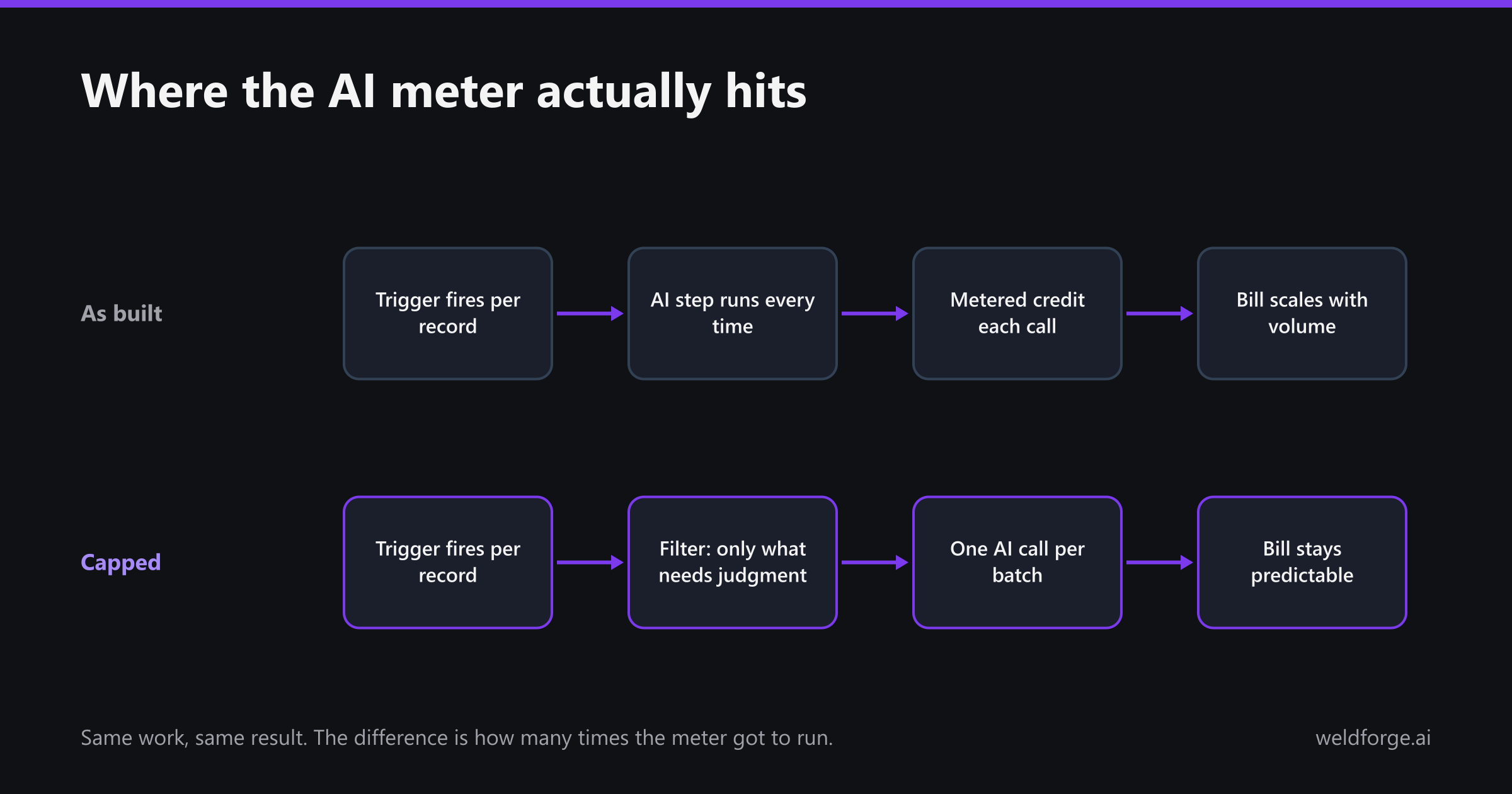
Why an AI step is not priced like a normal step
An ordinary step is one call to a system you already pay for. An AI step is a billable unit of its own: the platform charges a credit for the call, on top of whatever the model costs underneath, and it fires on a trigger that was never designed with a per-call cost in mind. The workflow that felt cheap when every step was a lookup becomes expensive the moment one of those steps is inference.
The four multipliers that stack
- Per record, not per batch. The trigger fires once per row, so the AI call happens once per row — including on the 80% of rows where the answer was never in doubt.
- Per AI step, not per workflow. Enrich, classify, then draft a summary is three metered calls on every single record, not one.
- Retries and reruns count. A failed step that retries twice is billed three times, and a backfill you run to fix yesterday charges you again for yesterday.
- Volume you do not control. One bulk import or a chatty webhook can fire the same trigger thousands of times in an afternoon, and there is no natural ceiling on that.
Five ways to cap it without giving up the AI
- Filter before the AI step, not after. Most records do not need a model to decide anything. A condition in front of the AI node — only new records, only above a value threshold, only where a field is blank — usually removes the majority of calls on its own, and it is the cheapest change on this list.
- Batch the call. Twenty records summarised in one call is one billable unit instead of twenty, and the model handles it fine when the records are the same shape.
- Use a rule where a rule will do. Sorting into six known categories, normalising a country name, or picking a tier from a number is a lookup table. It does not need inference, and a table cannot hallucinate.
- Cache the repeats. The same input produces the same answer, so store it. Support macros, product descriptions and category assignments repeat far more than people expect.
- Call the model on your own key. Moving the AI step out to a webhook against your own provider account means you pay provider rates instead of platform credits, and you get a real hard spend cap at the provider — which is the only cap that actually stops the bill.
| Fix | Effort | What it typically saves | The catch |
|---|---|---|---|
| Filter before the AI step | Minutes | The largest single cut — most records never reach the meter | You have to be honest about which records genuinely need judgment |
| Batch the call | An hour | Roughly proportional to batch size | Harder when each record needs its own context |
| Rule instead of a model | An hour | Removes that step from the bill entirely | Only works for fixed, known outputs |
| Cache repeats | Half a day | Large on repetitive content, nothing on unique content | Needs somewhere to store results and a rule for invalidating them |
| Your own provider key | Half a day | The platform markup, plus a real spending cap | You now own the key, the errors and the retries |
When capping stops being the answer
All five of those are worth doing, and for a lot of workflows they end the problem. But some automations genuinely need a model on every record — that is the whole point of them — and if the work is real, trimming calls is only rationing. At that point the bill is not telling you that you overused AI. It is telling you that you are renting inference by the unit inside a platform that also charges by the unit for everything around it, and that both meters go up exactly as the business does.
The flat-fee shape
That is the gap Weldforge is built for. You describe what you want connected in plain English, our AI drafts the field-by-field mapping and the transforms, and we build it, host it and run it in our cloud for a flat monthly fee. The AI is part of how the integration gets built and run, not a line item that ticks over every time a record moves — so volume can grow without the invoice growing with it. And because surprise bills are the actual complaint here, the overage promise is explicit: alerts at 70, 85 and 100% of your plan, and no invoice larger than your subscription without your one-click approval.